Why teams struggle with latency, privacy, and cost, and how leading companies are solving it with on-device AI in Flutter
Most mobile teams don’t fail at building AI features. They fail at making those features usable, fast, and cost-effective in production.
The idea of “AI-powered apps” sounds straightforward until engineering teams hit the first real constraint: cloud inference is slow, expensive, and often incompatible with privacy expectations. What looked like a simple feature,smart recommendations, image recognition, or predictive inputs,quickly turns into an infrastructure problem.
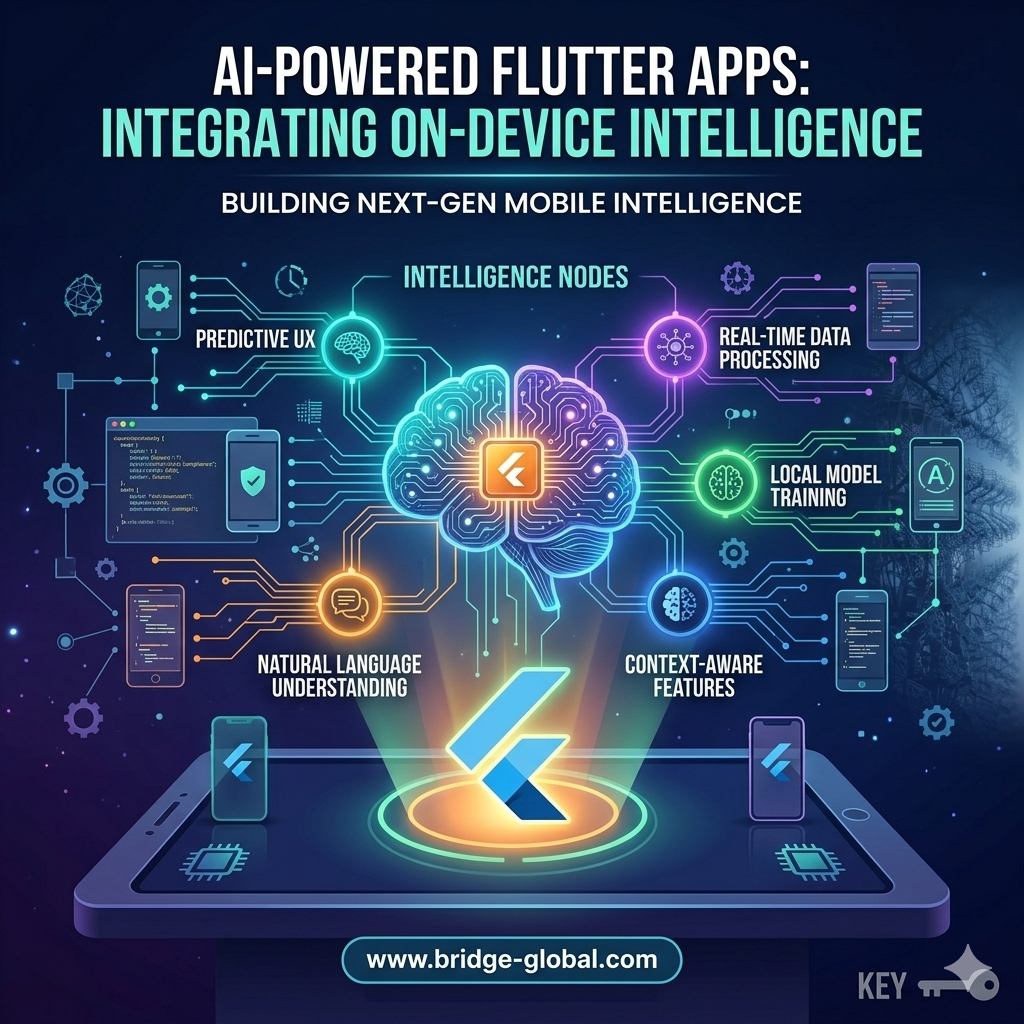
This is where on-device intelligence, especially within Flutter ecosystems, is gaining traction. Instead of sending every request to the cloud, models run directly on the user’s device. The shift reduces latency, improves privacy compliance, and lowers long-term operational costs. But implementing it is not as simple as adding a library.
Teams evaluating AI-powered Flutter apps are usually dealing with three practical questions:
- Can this scale without increasing cloud bills?
- Will performance degrade on mid-range devices?
- How does this fit into an existing mobile architecture?
These are not theoretical concerns,they directly impact release timelines, user retention, and margins.
Why On-Device AI Is Becoming a Business Decision, Not Just a Technical One
The growth of edge AI is tied to very real constraints in mobile product development. According to Gartner, edge computing,including on-device AI,is expected to handle a significant portion of enterprise-generated data processing by 2026, driven by latency and cost concerns.
For mobile teams, this translates into a simple reality: cloud-only AI strategies don’t scale well for high-frequency interactions.
Consider a fintech or healthcare app where users expect real-time feedback, fraud detection prompts, document scanning, or voice-based inputs. A delay of even 500 milliseconds can reduce usability. More importantly, constantly sending sensitive data to servers raises compliance risks under frameworks like GDPR and HIPAA.
On-device AI addresses both issues:
- It reduces round-trip latency because inference happens locally
- It limits data exposure, since raw inputs stay on the device
Flutter becomes relevant here because it allows teams to maintain a single codebase while integrating native-level AI capabilities. Frameworks like TensorFlow Lite and platform channels enable this integration without rewriting the app in Swift or Kotlin.
However, teams often underestimate the operational complexity.
Model optimization, device compatibility, and memory constraints introduce trade-offs that directly affect product quality. Running a model locally means compressing it without losing accuracy,and that’s where many implementations fall short.
Where Flutter Teams Typically Get Stuck
The biggest misconception is that adding AI to a Flutter app is primarily a development task. In reality, it is a systems problem involving performance engineering, data strategy, and product prioritization.
Three friction points show up repeatedly:
- Model Size vs Performance Trade-offs
On-device models must be lightweight. Large models increase app size and degrade performance on low-end devices. Teams often struggle to balance accuracy with efficiency. - Inconsistent Device Capabilities
Unlike cloud environments, mobile devices vary widely. A model that works well on a flagship phone may lag or fail on older hardware. This creates fragmented user experiences. - Integration Complexity
Flutter does not natively handle all AI workloads. Teams rely on plugins, platform channels, or third-party SDKs, which introduces maintenance overhead and debugging challenges.
This is why many teams abandon on-device AI after initial experimentation. Not because the idea is flawed, but because execution requires cross-functional alignment between mobile, backend, and data teams.
What Leading Teams Are Doing Differently
Companies that successfully deploy AI-powered Flutter apps treat on-device intelligence as part of their core architecture,not an add-on feature.
Organizations working with partners like GeekyAnts and similar engineering firms approach this in a structured way. The focus is less on “adding AI” and more on deciding where AI should run.
They typically adopt a hybrid inference model:
- Run lightweight, high-frequency tasks on-device (e.g., text prediction, image preprocessing)
- Offload complex or less time-sensitive tasks to the cloud
This division ensures that user experience remains fast while keeping infrastructure costs under control.
Large tech companies follow similar patterns. For example, Google has heavily invested in on-device ML through TensorFlow Lite, enabling features like real-time translation and smart replies without constant server calls. Likewise, Apple continues to push on-device intelligence as a privacy-first differentiator.
The takeaway for decision-makers is clear: on-device AI is no longer experimental. It is becoming a competitive baseline for mobile apps that rely on real-time intelligence.
The Cost Equation Most Teams Miss
One of the strongest arguments for on-device AI is cost reduction, but only when implemented correctly.
Cloud inference costs scale with usage. If an app processes thousands or millions of AI requests daily, operational expenses can grow unpredictably. On-device inference shifts that cost to the initial development and optimization phase.
However, teams often overlook:
- Increased development time for model optimization
- Additional QA cycles for device testing
- Maintenance overhead for updating models across app versions
This is why some companies see short-term delays when adopting on-device AI, even though long-term savings are significant.
The decision is not simply “cloud vs device.” It is about aligning AI architecture with business priorities, whether that’s speed, cost control, or compliance.
Making On-Device AI Work in Flutter Environments
For teams moving forward with this approach, the focus should be on execution discipline rather than tooling alone.
A practical approach includes:
- Start with a single high-impact use case (e.g., image recognition, offline recommendations)
- Use optimized frameworks like TensorFlow Lite for model deployment
- Benchmark performance across multiple device tiers before release
- Continuously update models based on real-world usage data
This reduces risk while allowing teams to validate ROI early.
More importantly, it prevents the common mistake of over-engineering AI features that users don’t actively rely on.
Conclusion: A Shift in How Mobile Intelligence Is Delivered
AI-powered Flutter apps are not about adding more features, they are about delivering faster, more private, and more reliable user experiences.
On-device intelligence changes how teams think about architecture, cost, and performance. It forces a shift from centralized AI systems to distributed intelligence at the edge.
For decision-makers, the challenge is not whether to adopt this approach, but how to implement it without disrupting delivery timelines. Teams that treat on-device AI as a strategic capability,not a technical experiment, are the ones seeing measurable results.
FAQs
- What is on-device AI in Flutter apps?
On-device AI refers to running machine learning models directly on a user’s mobile device instead of relying on cloud servers. In Flutter, this is typically achieved using tools like TensorFlow Lite and platform-specific integrations. - Why are companies moving toward on-device intelligence?
The shift is driven by lower latency, improved privacy, and reduced cloud costs. It also ensures better performance in offline or low-connectivity environments. - Does on-device AI replace cloud AI completely?
No. Most production systems use a hybrid approach where simple, real-time tasks run on-device, while complex processing remains in the cloud. - What are the biggest challenges in implementing on-device AI?
Key challenges include model optimization, device compatibility, integration complexity, and maintaining performance across different hardware configurations. - Is Flutter suitable for AI-powered apps?
Yes, but with limitations. Flutter supports AI integration through plugins and platform channels, but teams must carefully manage performance and native dependencies.