Flutter makes it possible to build polished applications for multiple platforms from one codebase. That advantage, however, does not automatically guarantee smooth performance. Image-heavy screens, large lists, animations, video feeds, and background processing can still create memory pressure and dropped frames when the underlying architecture assigns work to the wrong layer.
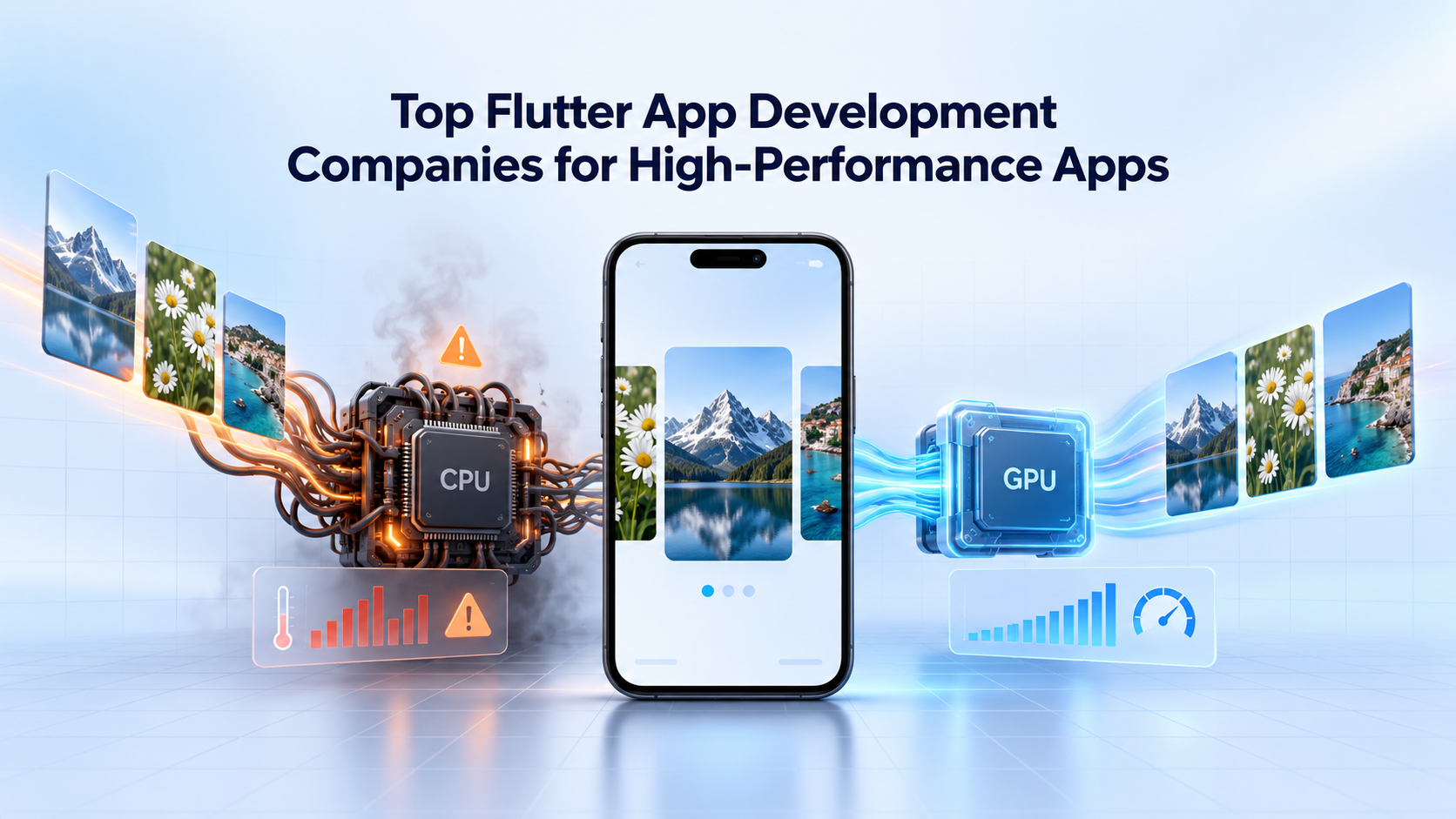
A recent Flutter performance case offers a useful example. An image-editing application began freezing after loading only three photos, despite using isolates, caching, and viewport-aware loading. Each technique was technically reasonable, but none addressed the real problem: the application was performing preview rendering on the CPU when Flutter’s rendering system could handle it more efficiently on the GPU.
The case shows why companies hiring a Flutter development partner should evaluate architectural judgment, profiling experience, and rendering knowledge instead of focusing only on the number of features a team can deliver.
Why Can a Flutter App Freeze With Only a Few Images?
The number of images visible on the screen does not reveal how much processing the application performs.
A seemingly simple photo preview may involve several expensive operations:
- Loading full-resolution image bytes
- Decoding compressed image data
- Resizing the image
- Applying a Gaussian blur
- Creating another in-memory byte array
- Transferring data between isolates
- Sending the processed pixels to the GPU
- Repeating the process after a widget rebuild
When several photos follow this sequence simultaneously, memory consumption can rise quickly. A modern phone with substantial RAM can still struggle because the problem involves allocation frequency, decoding cost, serialization, garbage collection, and frame timing rather than total device memory alone.
At 60 frames per second, the application has roughly 16.67 milliseconds to produce a frame. Any expensive operation that blocks or overwhelms the rendering pipeline can cause visible jank.
The analyzed application reportedly averaged approximately 34 frames per second during profiling, with some frames taking close to one second. The app eventually became unresponsive after loading three photos.
Why Did Isolates Not Solve the Performance Problem?
Dart isolates allow CPU-intensive work to run outside the main isolate. They are valuable for image encoding, data parsing, encryption, and other expensive operations that might otherwise block interface updates.
The mistake was not using isolates. It was using them for work that did not need to become a CPU-based image-processing pipeline.
The original preview architecture looked approximately like this:
Photo
→ Background isolate
→ Decode
→ Resize
→ Gaussian blur
→ Serialize as Uint8List
→ Transfer across isolate boundary
→ Image.memory
→ GPU rendering
The process kept the heaviest calculations away from the main isolate, but it still decoded, processed, copied, and transferred large pixel buffers. Flutter then passed the processed data to the GPU for display.
In other words, the CPU prepared an entire visual result that the GPU compositor was already capable of producing.
This distinction is important. Moving inefficient work to another isolate may protect the UI thread, but it does not make the underlying work inexpensive.
Why Caching and Lazy Loading Only Partially Helped
The development team first limited processing to the current image and its neighboring carousel items. This viewport-aware approach reduced the number of simultaneous preview jobs from as many as 20 to approximately three.
That change reduced immediate memory pressure. However, every newly visible image still triggered the original decode, blur, serialization, and transfer process.
An LRU cache provided another improvement. Previously generated previews appeared immediately, and the application avoided reprocessing images that remained in the cache. The interface felt faster during repeated navigation.
The cache still could not make a first-time preview inexpensive. It also introduced additional code, cache invalidation rules, memory limits, and prioritization logic.
Both improvements treated symptoms:
- Lazy loading reduced how many times the expensive pipeline ran concurrently.
- Caching reduced how often it ran repeatedly.
- Neither removed the expensive pipeline.
This is a common Flutter performance optimization mistake. A team optimizes an implementation before confirming that the implementation belongs in the architecture.
Moving Flutter Image Previews From the CPU to the GPU
The more effective design separated interactive previews from final exports.
A preview must appear quickly and look close enough to the exported result for users to make decisions. It does not always need to reproduce the full-resolution export pixel by pixel.
The application replaced its processed in-memory preview with lightweight Flutter widgets:
ImageFiltered(
  imageFilter: ui.ImageFilter.blur(
    sigmaX: settings.blurIntensity * 0.5,
    sigmaY: settings.blurIntensity * 0.5,
  ),
  child: AssetEntityImage(
    photo,
    isOriginal: false,
    thumbnailSize: const ThumbnailSize.square(150),
    fit: BoxFit.cover,
  ),
)
A small thumbnail became the blurred background, while a higher-resolution thumbnail represented the primary foreground image. The blur concealed minor resolution differences in the background, so loading the original image provided little visible benefit.
The revised architecture became much shorter:
Small thumbnail
→ ImageFiltered
→ Flutter rendering pipeline
→ GPU compositor
There was no longer a need to generate a Uint8List for every preview, transfer processed pixels from an isolate, or manage a FutureBuilder for each card. The photo card could become stateless, and much of the surrounding cache and viewport-management code became unnecessary.
The original engineering account reported a net change of 304 added lines and 783 deleted lines. The deeper lesson was not simply that fewer lines are better. The reduction showed that selecting the correct rendering layer can remove entire categories of coordination code.
A detailed explanation of the profiling process and architectural changes is available in this Flutter image-processing performance case study.
Is ImageFiltered Better Than BackdropFilter?
Both widgets can create blur effects, but they solve different problems.
BackdropFilter applies a filter to content that has already been painted behind it. This is helpful for effects such as frosted-glass overlays where the background may contain several dynamic elements. That flexibility can require an additional layer and framebuffer readback.
ImageFiltered applies the filter directly to its child. If an application only needs to blur one image, this more specific widget can avoid unnecessary rendering work.
In the referenced test, the average raster times were relatively close:
BackdropFilter: 2.56 millisecondsImageFiltered: 2.09 milliseconds
The larger difference appeared in the slowest frames. BackdropFilter reportedly reached 29.49 milliseconds during an intensive slider interaction, while the worst ImageFiltered frame remained at 6.38 milliseconds.
Averages can therefore hide the performance issues users notice most. Development teams should review high-percentile and worst-frame measurements rather than relying only on average frame time.
Results will vary across devices, Flutter versions, image sizes, and widget trees. Teams should reproduce the comparison in profile mode using representative hardware before establishing an architectural rule.
Where Should Flutter Isolates Be Used?
Removing isolates from the preview pipeline does not make isolates unnecessary.
Full-resolution export remains a genuine CPU workload. It may require decoding the original file, applying image transformations, compositing layers, preserving metadata, encoding the result, and writing it to storage.
The application handled export through controlled concurrency. Instead of processing every image simultaneously or processing the complete collection sequentially, it used small batches.
const batchSize = 3;

for (
  var start = 0;
  start < photos.length;
  start += batchSize
) {
  final end = (start + batchSize).clamp(0, photos.length);
  final batch = photos.sublist(start, end);

  await Future.wait(
    batch.map((photo) => processAndSave(photo)),
  );
}
A batch size of three is not a universal Flutter recommendation. It was a conservative choice for that application and its tested devices. More simultaneous tasks may improve throughput but keep several large buffers alive at once, increasing peak memory use.
A production team should benchmark different batch sizes using low-end and mid-range devices, not only flagship hardware.
The application also emitted a zero-percent progress state before beginning the heavy work. Briefly yielding to the event loop allowed Flutter to render the processing screen first. This did not make export faster, but it made the interaction feel responsive because users received immediate feedback.
What Should Businesses Expect From a Flutter Development Company?
Performance-sensitive Flutter development requires more than knowledge of widgets and state-management packages. A capable team should be able to:
- Profile UI, raster, CPU, and memory behavior
- Explain when work belongs on the CPU, GPU, platform thread, or server
- Test in profile mode on physical devices
- Control image decoding dimensions and buffer lifetimes
- Separate lightweight previews from production-quality exports
- Measure worst-frame latency instead of averages alone
- Test on lower-memory devices
- Remove complexity after changing the architecture
- Establish performance budgets before release
A company should also be able to show how performance decisions affect product experience. Faster rendering matters because freezes, delayed navigation, and unresponsive buttons reduce engagement even when the underlying features technically work.
Top Flutter App Development Companies to Consider in 2026
The following selection is based on publicly documented Flutter services, product engineering capabilities, community involvement, and experience with cross-platform applications. It is not a universal ranking. The appropriate choice depends on the product, delivery model, location, budget, and technical risks.
1. GeekyAnts
GeekyAnts has worked with Flutter as part of its broader mobile and digital product engineering practice. Its public engineering content includes practical investigations into image processing, rendering performance, Flutter web behavior, local AI models, and production architecture.
The image-editor case is relevant because it documents failed approaches as well as the successful redesign. That level of technical discussion can help buyers assess how a team profiles unfamiliar problems instead of applying standard optimizations without measurement.
GeekyAnts may suit companies that require product strategy, UX, Flutter engineering, backend integration, QA, and performance work within one delivery engagement. Its broader experience across web and React Native can also be useful when Flutter must coexist with an existing multi-platform ecosystem.
2. Very Good Ventures
Very Good Ventures specializes in Flutter application development across mobile, web, desktop, and embedded environments. The company publishes Flutter engineering resources and maintains open-source tools used by development teams.
Its website reports more than 250 delivered projects and highlights work involving organizations such as American Airlines, Toyota Connected, and Google. The company may be a good fit for enterprises seeking dedicated Flutter consulting, architecture guidance, or multi-device product development. Very Good Ventures
3. Somnio Software
Somnio Software presents itself as a Flutter-focused development company rather than a general software vendor. Its services include product discovery, design, full product development, and staff augmentation.
The company reports building more than 170 applications and works across sectors including fintech, healthcare, education, retail, and media. Somnio may suit organizations looking for a nearshore Flutter team with time-zone overlap for North American collaboration. Somnio Software
4. LeanCode
LeanCode combines Flutter application development with architecture, design systems, testing, and enterprise migration experience. It also maintains Flutter educational resources and contributes to tooling such as the Patrol end-to-end testing framework.
The company is worth considering for complex applications that require structured quality engineering or migration from multiple native applications to a shared Flutter foundation. Its published material covers enterprise adoption, mobile banking, Flutter architecture, and large-scale testing. LeanCode Flutter resources
5. Droids On Roids
Droids On Roids provides Flutter development alongside native mobile and product design services. This mixed capability can help organizations that expect some features to require native Kotlin or Swift integration.
The company may fit projects involving existing native applications, device-specific functionality, or gradual cross-platform adoption rather than a complete Flutter-first rewrite. Droids On Roids Flutter development
Final Takeaway
The most important Flutter performance question is not always, “How can this operation run faster?” Sometimes it is, “Should this operation exist in this layer at all?”
Isolates, caching, and lazy loading remain valuable tools. They cannot compensate for an architecture that uses CPU image processing for a temporary visual effect the GPU can generate during rendering.
Companies evaluating Flutter development partners should therefore look beyond feature delivery. The strongest teams profile real workloads, question architectural assumptions, test across device classes, and simplify the implementation when the framework already provides a better path