



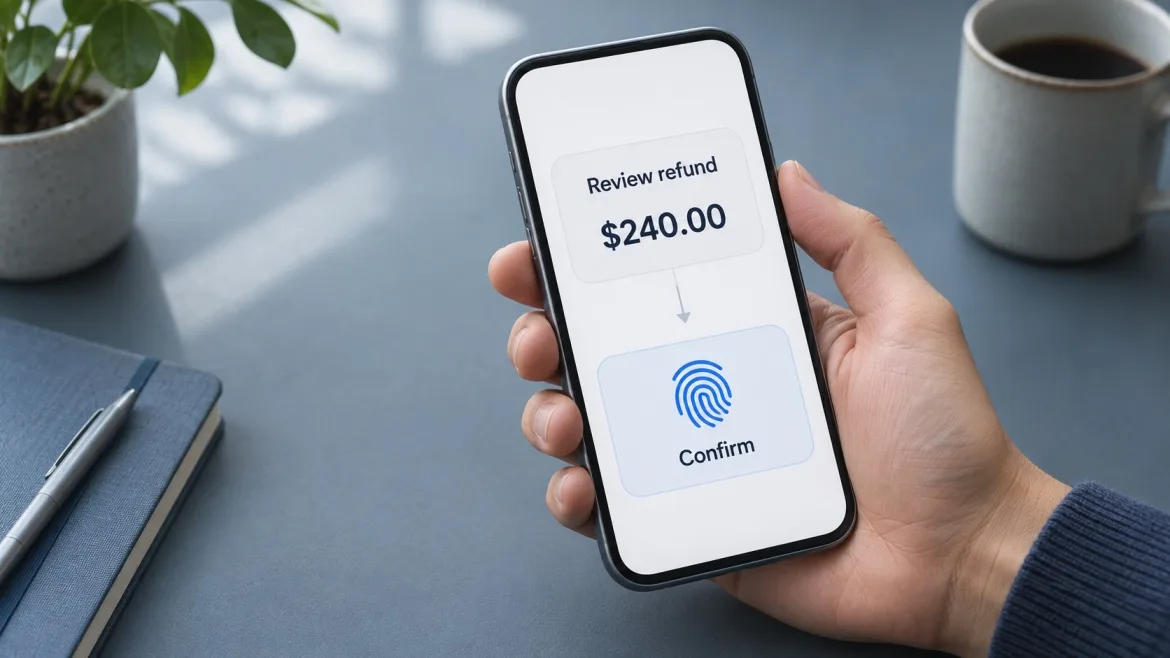
An AI assistant drafts a $240 refund. The user reviews it and approves with Face ID. While the prompt is open, the assistant prepares another refund for $420. If the backend accepts a generic “biometric authentication succeeded” signal, it has no reliable way to tell which refund the user reviewed.
For a sensitive AI action, the approval must apply to the exact action the user saw. Flutter can present the review screen and invoke the platform’s biometric prompt. The backend still has to verify the user’s permission, enforce the approval policy, and execute only the reviewed action.
This matters because an AI agent can skip a confirmation it was trained to request. OpenAI’s ChatGPT agent system card reported 91% confirmation recall in one evaluation and noted that limitations in the evaluation likely understated the rate. The engineering implication is straightforward. If an action requires approval, enforce that requirement at the execution endpoint.
When should a Flutter AI app require biometric confirmation?
Start with what the action changes. Searching a help centre or drafting a message usually needs less friction than sending that message, sharing a private document, or issuing a refund. For an app serving multiple users or organisations, the same action can also carry different risks depending on the destination and the user’s permissions.
| AI-proposed action | Appropriate approval flow |
|---|---|
| Draft an email or summarise a document | Check access to the source data and let the user review the draft. |
| Send an email or share a file externally | Show the recipients, content, and attachments. Apply step-up authentication where policy requires it. |
| Issue a refund or change account permissions | Show the exact change and require server-verifiable approval tied to that action. |
| Execute a restricted or prohibited operation | Reject the action on the server, even if the user authenticates successfully. |
The review screen should use structured fields from the server. For a refund, show the amount, currency, order, and refund destination. For a permission change, show the affected account, the requested role, and its scope. If any of those fields change, present the revised action and ask for approval again. A model-generated summary can explain the proposal alongside those fields.
What Flutter’s local_auth package can do
Flutter’s local_auth package calls the operating system’s local authentication APIs. On Android and iOS, biometricOnly: truerequests biometrics, while the default allows supported device credentials such as a PIN, pattern, or passcode. canCheckBiometrics indicates hardware support. getAvailableBiometrics() reports enrolled biometrics. The package also documents that backgrounding can cancel the prompt unless the app opts into retrying when it returns to the foreground.
import 'package:local_auth/local_auth.dart';

Future<bool> confirmLocally({
  required LocalAuthentication auth,
  required String prompt,
}) async {
  try {
    final enrolled = await auth.getAvailableBiometrics();
    if (enrolled.isEmpty) return false;

    return await auth.authenticate(
      localizedReason: prompt,
      biometricOnly: true,
      persistAcrossBackgrounding: false,
    );
  } on LocalAuthException {
    // The caller can offer the approved fallback or keep the action pending.
    return false;
  }
}
Call this helper after the user taps an explicit button such as Confirm $240 refund. The example answers a local UI question. It returns a Boolean and produces no signed proof that the backend can verify. Keep the proposal pending after cancellation, lockout, or an interrupted prompt. For a remote action that needs stronger assurance, use the authorization flow below.
On Android, the plugin’s setup includes FlutterFragmentActivity and the USE_BIOMETRIC permission. On iOS, add NSFaceIDUsageDescription with a clear reason for using Face ID. Provide a policy-approved non-biometric route for users who cannot use biometrics. NIST SP 800-63B-4 calls for an alternative and treats biometrics as part of multifactor authentication with a physical authenticator.
Authorize the exact AI action on the server
For a high-risk remote action, a device-held signing key can produce proof the backend can check. During enrollment, associate the device’s public key with the authenticated account. At approval time, the device uses its private key to sign a server-issued challenge bound to the specific pending action. The backend checks the signature against the registered public key and enforces its own authorization policy.
- Create a pending action. Validate the AI tool request against a strict schema. Store the canonical amount, currency, recipient or destination, and other relevant fields on the server. Generate a short-lived, single-use challenge tied to that action, account, and session.
- Present the stored details. Flutter shows the canonical fields and an explicit approval button. The user then completes the native verification step required to use the signing key.
- Verify and accept once. Check the signature, challenge expiry, account and session binding, and current permissions. Atomically consume the challenge and record the accepted action, using a stable idempotency key for execution.
- Reconcile uncertain outcomes. If a payment provider times out, look up the existing operation before retrying where the provider supports it. Show a pending status until the result is known.
Android documents auth-per-use keys through BiometricPrompt.CryptoObject. Apple documents protecting access to Keychain items, including private keys, with Face ID or Touch ID. Flutter can call the native implementation through a plugin or platform channel. Treat key registration and revocation as part of the design, and verify that the chosen native configuration meets the app’s authentication policy. A valid signature proves use of the registered key. The assurance behind that signature depends on how the key was provisioned and protected.
How five companies handle biometric verification and action approval
These examples cover different parts of the workflow, from biometric UX to key protection and explicit approval for agent actions.
| Company | Documented practice | What Flutter teams can apply |
|---|---|---|
| GeekyAnts | Its Sprive project write-up describes biometric authentication in a mortgage app with payments. Its identity and access documentation also gives an example of combining biometric confirmation with device checks for high-value transactions. | Match the verification requirements to the transaction risk. |
| Apple | For in-store Apple Pay with Face ID, Apple documents a deliberate side-button double-click to express payment intent before biometric verification. | Show the proposed action and capture a deliberate approval before invoking biometrics. |
| Android’s biometric APIs support keys that require authentication for each cryptographic use. | Use an auth-per-use key when the approval policy requires fresh verification for every signature. | |
| Microsoft | Windows Hello for Business binds a public key to the user’s account and uses a local PIN or biometric gesture to unlock use of protected credentials. | Keep local user verification on the device and register a public credential with the verifier. |
| OpenAI | ChatGPT agent asks for explicit confirmation before actions such as completing a purchase or sending an email. This is an example of an AI action approval rule. | Identify which tools change external state and require approval at the execution boundary. |
Test the action behind the prompt
A successful biometric prompt is only one test case. Test what happens when the amount changes during review, the challenge expires in the background, a user loses permission after opening the review screen, or two requests arrive with the same approval. Cover devices without enrolled biometrics, cancelled prompts, lockouts, and the approved fallback. Run these tests on physical Android and iOS devices as well as in automated backend tests.
The most revealing test is the opening refund scenario. Approve the $240 refund, then submit the $420 refund with that approval. The server should reject it. Retry the original request and verify that it produces at most one refund. Those two checks establish whether the system protects the action the user actually approved.