




A customer asks a Flutter AI assistant, “Can I book a 30-minute consultation after 3 p.m. on Friday?” The assistant understands the request and shows three options. By the time the customer taps one, another person has booked it.
The app should explain that the slot is gone, refresh the options, and preserve the customer’s preferences. It should say “You’re booked” only after the scheduling system confirms the appointment.
That distinction is the foundation of a reliable Flutter appointment booking handoff. The assistant interprets the request. Flutter presents real options and collects confirmation. The scheduling backend owns availability, booking, and the final status.
Turn the conversation into a booking draft
Start with a typed draft containing the service, preferred date range, time zone, and any provider or location preference needed to search. The assistant can extract those details from the conversation, while the backend maps them to valid service and provider IDs. If “Friday afternoon” is ambiguous because the customer and provider are in different time zones, resolve it before querying availability.
Keep availability lookup separate from booking creation. A read-only operation can return real slots whenever the customer asks for options. The booking operation should require an explicit confirmation tied to the selected slot. That lets a customer explore times without accidentally creating an appointment.
A minimal handoff payload from the backend to Flutter might look like this:
{
  "type": "review_booking",
  "draftId": "draft_76",
  "slotId": "slot_41",
  "startsAt": "2026-12-04T20:00:00Z",
  "displayTimeZone": "America/New_York",
  "durationMinutes": 30
}
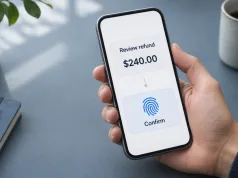
Flutter uses these fields to render the review screen. The backend looks up the slot again when the user taps Confirm booking, using its own records for the time, duration, provider, and any price. Show the time zone next to the appointment time, particularly when it differs from the device’s current zone.
Choose where the booking is completed
| Handoff | When it fits | What confirms the booking |
|---|---|---|
| Native Flutter review screen | The team controls the booking API or can integrate with a provider that supports appointment creation. | The backend returns a confirmed appointment ID after the scheduling system accepts the booking. |
| Hosted scheduling page | A third-party provider owns the form, intake questions, or payment flow. | The backend verifies the result through the provider API or processes an authenticated provider webhook. |
| Staff-assisted booking | The service requires eligibility checks, manual approval, or help finding an alternative. | A staff member or scheduling system confirms the appointment. Until then, Flutter shows Request submitted. |
For an in-app flow, use a dedicated route, such as /booking/review/:draftId, and reload the draft from the API. This lets a customer resume after the app is closed or suspended. For a hosted flow, Flutter’s url_launcher can open the provider’s page. If the provider supports a return URL, Android App Links and iOS Universal Links can bring the customer back to a status screen. The return link tells Flutter where to navigate. The backend tells it whether the appointment exists.
Keep personal details out of return URLs. An opaque draft ID is enough to reload the record after the app verifies the signed-in customer’s access.
Handle stale slots, retries, and uncertain outcomes
An availability response is a snapshot. If the provider supports a temporary hold, show the hold’s expiration and let it lapse when the customer abandons the flow. Otherwise, recheck the slot when the customer confirms and handle conflicts from the scheduler. In a first-party scheduler, enforce conflict prevention at the point of booking. A separate availability check and write can still race.
Use a stable idempotency key for each confirmed booking attempt. Reuse it when retrying the same attempt after a timeout. If the scheduler may have accepted the request before the connection dropped, show Checking booking statuswhile the backend reconciles the outcome. Creating a fresh request at that point can produce a duplicate. For hosted flows, process webhook retries idempotently and update the existing booking record.
This is where the handoff earns its place in the product. When a slot becomes unavailable, the customer should return to the same draft with alternative times. When the outcome is uncertain, the app should preserve the attempt and resolve its status without asking the customer to book again.
How five companies approach scheduling and booking
| Company | Documented practice |
|---|---|
| GeekyAnts | Its JFIT wellness marketplace case study documents centralized booking state, conflict checks for concurrent attempts, and release of abandoned payment holds. The case study also describes idempotency keys and unique constraints for webhook retries. JFIT illustrates the booking backend that a Flutter assistant could hand off to. |
| Salesforce | Agentforce on the Salesforce Help portal guides eligible support customers through scheduling, rescheduling, or canceling a meeting with a specialist. It checks case eligibility and blocks the appointment on the assigned specialist’s calendar. |
| Calendly | Its Scheduling API guide describes how an AI agent can turn collected booking details into a scheduled event through the Create Event Invitee endpoint. Calendly also exposes scheduled and canceled invitee events through webhooks. |
| Microsoft | The Microsoft Bookings API in Graph represents services, staff, scheduling policies, and appointments separately. Microsoft also documents business rules that integrations need to follow when creating or updating appointments. |
| Google Calendar exposes separate operations for querying busy intervals and creating events. A team building on Calendar can use those primitives and enforce its own service duration, buffer times, and booking rules. |
Test the handoff beyond the happy path
Test two customers selecting the same slot, a confirmation that times out after the provider accepts it, and a booking made across a daylight saving transition. On both Android and iOS, test returning from the hosted page with the app already open and with it starting from scratch. The same draft should resolve to the same booking status in either case.
Measure confirmed appointments separately from handoffs opened. A tap on Continue to booking shows intent. A verified appointment ID shows that the scheduling system completed the job.