



How to show customers exactly what they’re approving, handle mobile interruptions, and recover when a transfer’s status is uncertain.
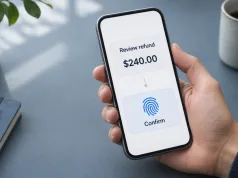
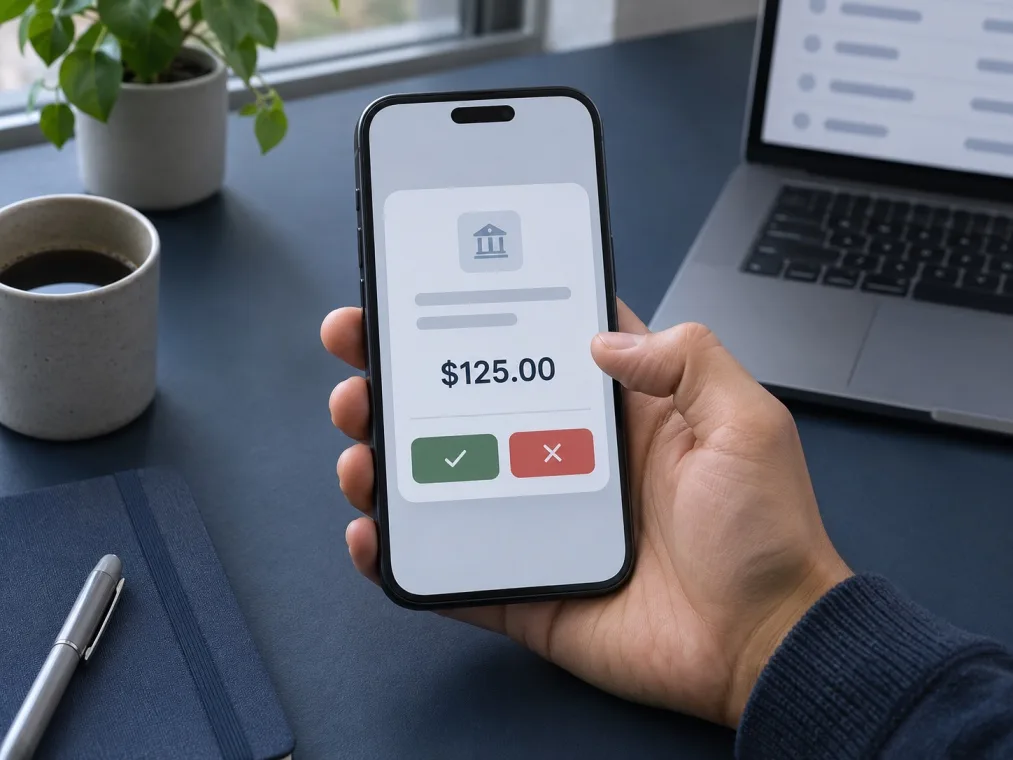
A customer tells a banking assistant, “Send $250 to Priya.” The assistant finds two saved recipients named Priya. The customer picks one, reviews the transfer, and taps Confirm $250.00 transfer. Then the connection drops before the app shows a receipt.
The two uncertainties belong to different parts of the workflow. Before confirmation, the app must establish which Priya the customer means. After confirmation, it must establish whether the bank accepted the original request. Treating a network timeout as a failed transfer can turn a second tap into a second payment.
What should the customer see before confirming?
The assistant can extract an amount and suggest matching payees. The banking backend resolves the selected payee against authorized records, checks the funding account, and returns a versioned transfer quote. Flutter renders that quote on a structured review screen.
| Review field | What the app should show |
|---|---|
| Recipient and funding account | The resolved payee and masked identifiers that distinguish similarly named recipients and accounts. |
| Transfer amount | Amount and currency, fees, and total debit. Include the exchange rate and expected amount received when relevant. |
| Timing | Expected delivery and quote expiry, where applicable. |
| Customer action | A specific button such as Confirm $250.00 transfer, with an option to edit the details. |
Use the backend’s amount in minor units and its currency code to format the amount. If the payee, amount, or fees change, show the revised quote and obtain a fresh confirmation. Keep the quoted, approved, and executed values traceable to the same revision.
There is a regulatory precedent for binding approval to transaction details. Article 5 of the EU’s strong customer authentication technical standards requires dynamic linking to the amount and payee when the provision applies. For covered U.S. remittance transfers, Regulation E § 1005.31 specifies pre-payment disclosures, including applicable amounts, fees, and exchange-rate information. Which requirements apply depends on the transaction and jurisdiction.
How should Flutter manage confirmation state?
Keep the review state and confirmation command in a view model, with API calls through a repository. A useful sequence is review → authenticating → submitting → processing → completed. Model quoteChanged, cancelled, and statusUnknownexplicitly so the UI can offer the right next action. This follows Flutter’s architecture guidance on placing UI state and commands in view models.
Use AppLifecycleListener to revalidate an unsubmitted quote when the app resumes. If a confirmation request may already have reached the server, check that transfer intent first. Flutter’s local_auth package can verify the user locally and may fall back to device credentials by default. For transaction authorization, the backend should verify its own proof bound to the customer, quote revision, and expiry.
This Dart sketch shows the confirmation command. The view model generates one confirmation ID per deliberate attempt and reuses it when retrying the same request.
enum SubmitOutcome { processing, completed, quoteChanged, statusUnknown }

Future<SubmitOutcome> confirmTransfer(
  TransferRepository repository,
  ReviewedQuote quote,
  ApprovalProof proof,
  String confirmationId,
) async {
  try {
    return await repository.confirm(
      intentId: quote.intentId,
      quoteVersion: quote.version,
      approvalProof: proof,
      idempotencyKey: confirmationId,
    );
  } on QuoteChangedException {
    return SubmitOutcome.quoteChanged;
  } on TimeoutException {
    return SubmitOutcome.statusUnknown;
  }
}
On statusUnknown, show Checking transfer status and look up the existing intent. If the API permits a retry, send the original request with the same key. A changed quote starts a fresh review. To recover after the app closes, retain the minimum non-sensitive information needed to look up the intent, without storing approval proofs or full account details.
What prevents a double tap from becoming a second transfer?
Disabling the button prevents an accidental second tap on one screen. The payments backend handles retries, concurrent submissions from two devices, and worker restarts.
- Verify the exact quote. Check intent ownership, quote revision and expiry, payment policy, and the transaction-bound authorization proof.
- Make confirmation idempotent. Return the recorded result for an authenticated repeat of the same request. Reject reuse of the same key with a changed payload. Protect the transfer intent from duplicate execution even if two devices submit different keys.
- Reconcile uncertain outcomes. Persist authorization and schedule execution atomically. Assign a stable downstream execution reference. If the processor times out, check the processor or ledger before attempting another movement of funds.
Display Processing while the payment outcome is pending. Record the terms shown, the confirmation time, the authorization reference, and the final outcome. Stripe’s Payment Intents and idempotency documentation illustrate how payment state and retries can remain tied to a durable payment object.
How are five companies applying these patterns?
| Company | Published example and its relevance |
|---|---|
| GeekyAnts | In its PsyFi financial wellness case study, GeekyAnts describes comparing AI-generated monetary figures with actual financial records and flagging unsupported amounts. The same principle applies to transfer preparation: displayed amounts should be grounded in authoritative records. |
| Amazon Web Services | Amazon Bedrock Agents can request user confirmation before invoking selected functions. This provides a pause before the assistant acts. The banking backend can then enforce authorization against the exact quote. |
| Mastercard | Verifiable Intent links the authorizing cardholder, the instructions given to an AI agent, and the resulting purchase. It illustrates how agentic commerce can preserve evidence of what a user authorized. |
| PayPal | For payment sources that require payer approval, the Orders API documents approval followed by authorization or capture, depending on the order intent. It illustrates how customer consent and payment execution can be represented as distinct steps. |
| Stripe | Shared Payment Tokens for agentic commerce are scoped to a seller, amount, and time window. They illustrate how a payment credential can limit what an agent can do after customer approval. |
What should the team test before release?
Start with four cases: two recipients with the same display name, an expired quote after the app resumes, two devices confirming one intent, and a timeout immediately after the server accepts a request. The first two should prompt the customer to resolve ambiguity or review updated terms. The last two should result in at most one movement of funds, with the app recovering the status of the original transfer.
The acceptance criterion: the bank executes the exact transfer the customer reviewed and approved, and the app can recover its status after an interruption.