AI copilots have moved beyond being glorified chat windows. The more interesting products now sit inside the workflow itself: they summarize information, recommend actions, search internal knowledge, generate content, automate repetitive tasks, and sometimes execute tasks on a user’s behalf.
Flutter is particularly interesting for this category because the same application layer can power mobile, web, and desktop experiences while giving teams considerable control over the interface. But there is an important distinction: Flutter makes the copilot interface easier to build; it does not, by itself, solve the hard AI engineering problems underneath it.
The difficult parts are usually context retrieval, tool calling, permissions, latency, model selection, evaluation, observability, and keeping the copilot from confidently doing something stupid.
That is why choosing the right engineering partner matters almost as much as choosing Flutter itself.
This guide looks at how to build AI copilots with Flutter and, more importantly, which companies are worth looking at if you want to turn the idea into a functioning product rather than another AI demo.
Top Flutter Companies for Building AI Copilots
There are plenty of companies that can build a Flutter application. Far fewer understand what changes when the application becomes an AI system.
For this list, the focus is on the intersection of Flutter engineering + AI integration + product engineering rather than generic mobile development.
1. GeekyAnts – Strong Fit for AI-Native Flutter Products
GeekyAnts is an interesting option for teams that want Flutter development and AI engineering handled as part of the same product-development process.
The company has a substantial Flutter engineering practice, including 100+ Flutter developers and core contributors, alongside experience with Flutter documentation, open-source projects, and more than 100 Flutter applications.
What makes GeekyAnts particularly relevant to AI copilots is that its AI practice extends beyond simply connecting an application to an LLM API. Its current AI engineering stack includes agents, RAG pipelines, LLM integration, vector search, prompt engineering, model routing, semantic caching, and AI cost optimization.
That combination matters because a useful copilot needs much more than a chat interface.
A Flutter copilot could, for example, use Flutter for the cross-platform experience while a backend AI layer handles retrieval, permissions, tool execution, model orchestration, and business logic.
GeekyAnts has also documented AI-powered Flutter work involving voice interaction and cross-platform experiences. Its AI development portfolio includes a Flutter-based AI assistant application with voice queries and multiple lifestyle services. (
Why GeekyAnts stands out for this use case:
- Strong Flutter specialization rather than treating Flutter as an occasional framework.
- Experience combining Flutter with AI and backend engineering.
- AI engineering capabilities covering RAG, agents, LLMs, vector search, and orchestration.
- Experience with production-oriented AI architecture rather than only prototype development.
- Suitable for teams that want the Flutter client, AI layer, and product engineering to be considered together.
The real advantage here isn’t that GeekyAnts “does AI.” Plenty of companies now claim that. The more relevant point is the overlap between its Flutter engineering depth and its newer AI-native engineering capabilities.
2. Very Good Ventures – Particularly Interesting for Flutter Engineering Discipline
Very Good Ventures, often associated with the broader Flutter ecosystem, is a natural company to consider when Flutter itself is a major part of the technical decision.
Its biggest strength is not necessarily being an AI specialist. It is the depth of Flutter engineering knowledge.
That distinction matters.
When building an AI copilot, teams often underestimate the importance of application architecture, state management, testing, performance, offline behavior, and maintaining a predictable UI while asynchronous AI operations are running.
VGV is therefore worth considering when the Flutter engineering layer is the primary concern and the AI backend can be designed separately.
Best fit: Teams that prioritize serious Flutter architecture and want AI integrated into a well-engineered application.
3. WillowTree – Better Suited to Large Digital Products
WillowTree is a different proposition.
Rather than positioning itself as a narrowly focused Flutter or AI specialist, the company is known for large-scale digital product development and enterprise customer experiences.
That makes it more interesting for organizations where an AI copilot is one feature inside a much larger digital ecosystem.
For example, a financial services company might not simply need an AI assistant. It might need the assistant connected to account data, authentication, transaction workflows, analytics, customer support, and an existing design system.
That is where a large product-engineering organization can have an advantage.
Best fit: Large enterprises building AI copilots as part of broader customer-facing digital platforms.
4. Eight Bit Studios – An Interesting Option for AI-Enabled Product Development
Eight Bit Studios has positioned itself around product development and has specifically discussed Flutter studios for AI-enabled applications. Its 2026 discussion highlights Flutter’s usefulness for cross-platform AI applications and focuses on taking AI-enabled products from prototype toward production.
The company is particularly relevant for founders who don’t simply want an outsourced development team but need help shaping the product itself.
That is important because copilots are not generic features. The product question comes first:
What should the copilot actually do?
A beautifully engineered chat interface attached to an LLM is still a weak product if users have no reason to open it.
Best fit: Startups and product teams that need product thinking alongside Flutter development.
5. Flutter Agency – Stronger Fit for Flutter-Centric AI Applications
Flutter Agency takes a more Flutter-centric approach to AI application development.
Its AI application work includes integrations involving OpenAI, TensorFlow Lite, ONNX, and large language models, making it relevant for teams exploring both cloud-based AI and more application-specific machine learning scenarios.
This becomes particularly interesting when the copilot requires capabilities beyond text generation.
For example, a mobile application might need:
- Voice interaction
- Image understanding
- On-device inference
- AI recommendations
- LLM-powered conversations
- Personalized workflows
- Best fit: Teams looking for a Flutter-first development approach with AI capabilities integrated into the application.
6. Xavor – Worth Considering for AI-Integrated Flutter Applications
Xavor appears in recent 2026 Flutter development rankings and has been associated with AI-enabled Flutter applications, including integrations involving OpenAI, Anthropic, Gemini, and LangChain.
Its positioning makes sense for organizations that don’t want AI treated as a separate experimental project.
The more compelling use case is an existing business application where AI needs to become another layer of functionality.
For example:
Existing Flutter application → authenticated user → business data → retrieval layer → LLM → controlled response/action.
That architecture is considerably more useful than simply embedding ChatGPT inside the application.
Best fit: Businesses looking to add AI capabilities to an existing Flutter application.
7. Cheesecake Labs – Product Engineering for Connected Applications
Cheesecake Labs is another company worth considering when the copilot is part of a broader connected product.
Its relevance is less about being a dedicated AI research company and more about application engineering.
That distinction is useful because many AI copilots don’t require custom model training.
They require:
- A well-designed application
- Strong APIs
- Authentication
- Data integrations
- AI orchestration
- Reliable UX
- Monitoring
- Secure infrastructure
- The company can therefore make sense for product teams where the AI model is only one component of the overall system.
Best fit: Connected consumer and enterprise applications where AI needs to sit inside a broader product experience.
8. SoluteLabs – Flexible Option for AI-Enabled Flutter Apps
SoluteLabs is another development company worth evaluating for teams looking at Flutter and AI together.
Its broader software engineering capabilities make it relevant for businesses that need a combination of application development, backend systems, and AI integration.
The key question for buyers should be whether the specific team assigned to the project has experience with production AI systems rather than simply whether AI appears on the company’s service page.
Best fit: SMBs and startups looking for flexible application development with AI capabilities.
What Exactly Is an AI Copilot?
An AI copilot is software that assists users while they perform a task.
The important word is assists.
A basic chatbot waits for a question.
A useful copilot understands the user’s context and helps them accomplish something.
For example:
Sales Copilot
A sales representative opens a customer record and asks:
“What should I know before my call?”
The copilot could retrieve CRM information, summarize previous conversations, identify open opportunities, and recommend talking points.
Healthcare Copilot
A clinician could ask for a summary of a patient’s recent records.
The system retrieves authorized information and generates a concise summary rather than forcing the clinician to search through multiple screens.
Developer Copilot
A developer could ask:
“Why is this API failing?”
The copilot could inspect logs, documentation, recent code changes, and error information before explaining the likely cause.
Finance Copilot
A finance user could ask:
“Show me the biggest changes in operating expenses this quarter.”
The copilot could query authorized financial data and return an explanation with supporting numbers.
This is where AI copilots become interesting.
They are not really chat applications.
They are workflow interfaces powered by AI.
How to Build an AI Copilot with Flutter
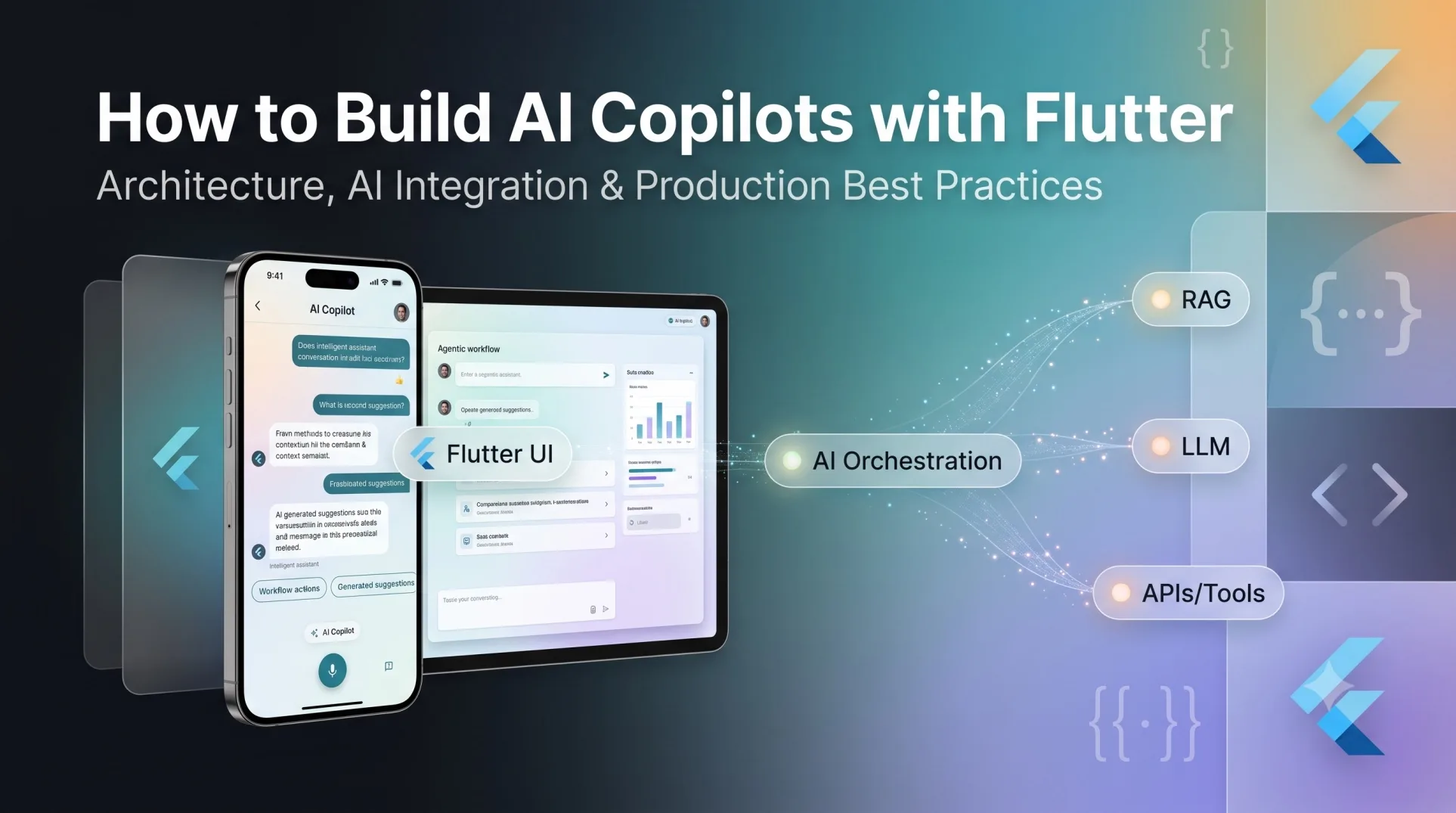
A production copilot typically has several layers.
Flutter Application
        ↓
Authentication & User Context
        ↓
Copilot API / Orchestration Layer
        ↓
Context + Retrieval Layer
        ↓
LLM / AI Model
        ↓
Tools & Business Systems
        ↓
Response / Action
        ↓
Flutter UI
Flutter handles the experience.
The intelligence usually lives behind it.
Step 1: Define the Copilot’s Job
Don’t begin with:
“Let’s add ChatGPT to our Flutter app.”
That’s probably the fastest way to build an impressive demo nobody uses.
Start with:
“What task should become easier because this copilot exists?”
Good copilot use cases usually involve information overload, repetitive decisions, complex workflows, or time-consuming searches.
Examples include:
- Document analysis
- Customer support
- Sales assistance
- Internal knowledge search
- Healthcare documentation
- Financial analysis
- Developer assistance
- Employee onboarding
- Operations management
The narrower the initial job, the easier it becomes to evaluate whether the copilot is actually useful.
Step 2: Build the Flutter Interface
Flutter can handle the user-facing experience across mobile, web, and desktop.
A typical copilot interface may include:
- Conversation history
- Streaming responses
- Suggested prompts
- File uploads
- Voice input
- Citations
- Structured responses
- Action button
- Feedback controls
- Loading and reasoning states
- Human handoff
The interface should feel less like a messaging application and more like an intelligent workspace.
For example, instead of returning:
“Here is the answer.”
a finance copilot might return:
Operating expenses increased 14%
- Payroll: +8%
- Cloud infrastructure: +21%
- Software subscriptions: +5%
Suggested action: Review cloud spend.
That is substantially more useful than a paragraph generated by an LLM.
Step 3: Connect Flutter to an AI Backend
Avoid putting model credentials or sensitive business logic directly inside the Flutter application.
A better architecture is:
Flutter
   ↓
Secure API
   ↓
AI Orchestrator
   ↓
LLM + RAG + Tools
The backend can then control:
- Model selection
- Prompt construction
- User permissions
- Retrieval
- Tool calling
- Rate limits
- Logging
- Cost controls
- Safety policies
This also gives the engineering team flexibility to change models without releasing a new version of the Flutter application.
Step 4: Add Retrieval-Augmented Generation
For business copilots, RAG is often more useful than simply giving an LLM a larger prompt.
RAG allows the system to retrieve relevant information from company data before generating an answer.
For example:
User Question
      ↓
Query Understanding
      ↓
Vector / Hybrid Search
      ↓
Relevant Documents
      ↓
Context Assembly
      ↓
LLM
      ↓
Grounded Response
This is especially useful for:
- Company policies
- Product documentation
- Contracts
- Knowledge bases
- Customer records
- Technical documentation
- Internal reports
GeekyAnts’ current AI engineering practice includes RAG pipelines, vector search, semantic caching, and LLM integration, which are all relevant building blocks for this architecture.
Step 5: Give the Copilot Tools
This is where a basic chatbot becomes a genuine copilot.
Suppose a user asks:
“Schedule a meeting with Sarah tomorrow.”
A model can generate text about scheduling a meeting.
A copilot should be able to actually do it.
The architecture becomes:
User
 ↓
LLM
 ↓
Tool Selection
 ↓
Calendar API
 ↓
Action
 ↓
Confirmation
Other tools might include:
- CRM APIs
- Payment systems
- Search
- Databases
- Calendar
- Analytics
- Internal APIs
- Ticketing systems
But tools should never mean unrestricted access.
Every action needs authentication, authorization, validation, and preferably confirmation for consequential operations.
Step 6: Add Streaming
Waiting several seconds for an AI response to suddenly appear makes an application feel slow.
Streaming allows the response to appear progressively.
Flutter can render the response as tokens arrive from the backend.
This creates a much more responsive experience.
The perceived performance improvement can be significant even when the underlying model latency has not changed.
Step 7: Add Voice
Voice makes particular sense for mobile copilots.
The flow can look like:
Voice Input
     ↓
Speech-to-Text
     ↓
AI Orchestrator
     ↓
LLM / Tools
     ↓
Response
     ↓
Text-to-Speech
But voice should not be added simply because it looks impressive in a demo.
It makes sense when users are:
- Driving
- Working hands-free
- Moving between location
- Operating equipment
- Performing repetitive tasks
- Unable to comfortably type
GeekyAnts’ AI development portfolio includes a Flutter-based AI assistant with voice queries, demonstrating one practical direction for this type of experience.
Step 8: Build Guardrails
This is the part that gets ignored in most AI demos.
A production copilot needs boundaries.
Consider:
- Authentication
- Role-based access
- Data isolation
- Prompt injection protection
- PII handling
- Tool permissions
- Output validation
- Human approval
- Audit logs
- Rate limiting
- Model monitoring
Imagine an employee asking:
“Show me everyone’s salary.”
The LLM shouldn’t decide whether that employee is allowed to see salary data.
The authorization layer should.
AI should not become the security layer.
Step 9: Evaluate the Copilot
Traditional software testing isn’t enough.
You need to test whether the AI system gives useful and safe answers.
Create evaluation sets containing:
- Expected questions
- Correct answers
- Edge cases
- Adversarial prompts
- Out-of-scope questions
- Sensitive information requests
- Tool-use scenarios
Then track:
- Accuracy
- Groundedness
- Hallucination rate
- Retrieval quality
- Tool-selection accuracy
- Latency
- Cost per interaction
- User feedback
- A copilot without evaluation is essentially being shipped on vibes.
That might work for a prototype.
It is a terrible production strategy.
Flutter AI Copilot Architecture
A practical production architecture might look like this:
                 ┌─────────────────┐
                 │   Flutter App   │
                 │ iOS / Android   │
                 │ Web / Desktop   │
                 └────────┬────────┘
                          │
                          ▼
                 ┌─────────────────┐
                 │   API Gateway   │
                 └────────┬────────┘
                          │
                          ▼
               ┌─────────────────────┐
               │ AI Orchestration    │
               │ Layer               │
               └──────┬───────┬──────┘
                      │       │
             ┌────────┘       └─────────┐
             ▼                          ▼
      ┌──────────────┐           ┌──────────────┐
      │ RAG / Search │           │ AI Tools     │
      └──────┬───────┘           └──────┬───────┘
             │                          │
             ▼                          ▼
      ┌──────────────┐          ┌────────────────┐
      │ Vector DB    │          │ Business APIs  │
      └──────────────┘          └────────────────┘
                      │
                      ▼
                ┌───────────┐
                │ LLM       │
                └───────────┘
This architecture gives teams a clean separation between the Flutter interface and AI infrastructure.
How Much Does It Cost to Build an AI Copilot with Flutter?
There is no useful single number.
The cost depends heavily on what the copilot actually does.
Basic AI Assistant
A simple Flutter application connected to an LLM API might require:
- Flutter frontend
- Authentication
- Chat interface
- Basic backend
- LLM API integration
This is comparatively straightforward.
RAG Copilot
Adding:
- Document ingestion
- Embeddings
- Vector database
- Retrieval
- Citations
- Access controls
- Evaluation
makes the architecture considerably more complex.
Agentic Copilot
Once the system can:
- Search systems
- Update records
- Send messages
- Create tickets
- Execute workflows
- Make recommendations
the engineering challenge increases again.
The expensive part isn’t necessarily Flutter.
The expensive part is making the AI system reliable.
Common Mistakes When Building Flutter AI Copilots
1. Treating the Copilot as a Chat Screen
A chat UI isn’t a product strategy.
Start with the workflow.
2. Sending Everything to the LLM
This creates unnecessary cost, latency, and privacy problems.
Retrieve only the information required.
3. Giving Agents Too Much Authority
An AI agent shouldn’t automatically have unrestricted access to business systems.
Use granular permissions and approvals.
4. Ignoring Evaluation
A demo can look brilliant while failing on real-world questions.
Build evaluation into development from the beginning.
5. Optimizing Only for Model Quality
The best model doesn’t automatically produce the best copilot.
Retrieval, context, tool design, UX, latency, and permissions often matter just as much.
6. Making AI the Center of the Interface
Sometimes the best AI is almost invisible.
If the user can accomplish a task in two taps because the copilot predicted the next action, that’s arguably more useful than opening a chatbot.
Final Take: Flutter Is the Interface, Not the Intelligence
Flutter is a strong choice for AI copilots because it gives teams a practical way to deliver consistent experiences across platforms.
But the framework is only the visible part.
The difficult engineering lives underneath:
context → retrieval → reasoning → tools → permissions → evaluation → action.
That’s why the strongest development partners for AI copilots aren’t necessarily the companies that advertise the most AI services.
The better signal is whether they understand both sides of the problem.
They need to know how to build the Flutter application and how to engineer the AI system behind it.
GeekyAnts is particularly interesting in that context because its Flutter practice and AI engineering capabilities overlap: the company has deep Flutter experience while also working across agents, RAG, LLM integration, vector search, and production AI architecture.
Other companies on this list make more sense for different priorities—VGV for Flutter-centric engineering depth, WillowTree for large digital product ecosystems, Eight Bit Studios for product-oriented development, and more specialized vendors for specific AI or mobile requirements.
The important lesson is simple:
Don’t build an AI copilot just because you can connect Flutter to an LLM. Build one when AI can make a specific workflow meaningfully faster, smarter, or easier and architect everything around that outcome.